How to start a faceless YouTube channel with AI
To start a faceless YouTube channel with AI, pick one niche, create the channel, write a script, make a voice, add visuals, edit, and upload. You never show your face, and AI tools can help with the script, the voice and the clips. To earn money, you must pass YouTube's pay limits and make videos that are not copies or templates.
Every rule and number below comes from YouTube's own help pages and the tools' own pages, checked in November 2026.
What is a faceless YouTube channel?
It is a channel where the person behind it does not appear on camera. The videos use a voice, pictures, clips, text or screen recordings instead of a face.
You still choose the topic, shape the script and decide what goes on screen. For the video-making side, read how to make faceless AI videos.
Step 1: How do you pick a niche?
Pick a topic you can make 20 different videos about, then check that real people search for it. A niche is just the subject of your channel.
Use three tests:
- Can you make 20 different videos? If you run out of ideas at video five, the topic is too small.
- Do people ask questions about it? Start a sentence in the YouTube search box and read the suggestions. Those are things real people type.
- Can you add something of your own? A fact list anyone can copy will not stand out. Your angle, examples or tests will.
The last test matters for pay. YouTube's monetization policy says content should be original and "authentic," and that reviewers look at your channel as a whole.
Topics where pictures and a voice carry the idea work well, like how-to topics, history, science and software tutorials. Be careful with health, legal, money and politics. The rules section below explains why.
Step 2: How do you create the channel?
Sign in to YouTube, open Settings from your profile picture, choose to create a channel, and pick a name, a picture and a Handle. YouTube's help page gives two ways.
- A personal channel. Only you manage it. Go to Settings, then Account, then "Add or manage channel(s)," then "Create a channel."
- A channel with a business name. Use this if you want a different name than your Google account, or want more than one manager. YouTube makes a Brand Account, and you can add owners and managers later.
A Brand Account is a good fit for a faceless channel, because the channel name is not your own name.
Then do three small jobs:
- Verify your phone number. YouTube's feature access page says this unlocks intermediate features, like videos longer than 15 minutes and custom thumbnails.
- Turn on 2-Step Verification for your Google account. YouTube lists it as a requirement for the Partner Program.
- Write a two sentence channel description. Say what the channel is about and who it helps.
Step 3: How do you find your first video ideas?
Start with the questions people ask, then pick the ones you can answer best. AI can widen the list, but real search shows what people want.
- Type your topic into YouTube search and write down every suggestion.
- Ask ChatGPT or Claude for 30 ideas. Tell it your viewer and the problem each video solves.
- Cross out ideas that sound like every other video, then pick three.
Chat tools do not see live YouTube data. They guess, so check each idea against the search box. I wrote more on this in how to use Claude for YouTube.
Step 4: How do you write the script?
Write in short, plain sentences and answer the question early. AI can write the first draft, but you should rewrite it so it carries your own point.
A simple script has three parts:
- Hook. One or two lines on what the viewer will learn.
- Main points. Three to five, each with a fact, example or demo.
- Ending. One line on what to watch next.
This step protects your channel. YouTube's policy lists "AI-generated content made with generic or unoriginal templates giving the impression of mass production" as not allowed to earn. It also lists "using AI to edit your video scripts" as fine when the story is unique and well-researched. The difference is your own thinking.
Step 5: How do you make the voice?
Use a text-to-speech tool and listen to the whole thing before you use it. ElevenLabs (affiliate link) is one option.
Its pricing page lists a Free plan at $0 a month with 10,000 credits, and a Starter plan that adds a commercial license and instant voice cloning. The page says text to speech costs about 1 credit per character. My math: a 1,500 word script is roughly 9,000 characters, so one short script could fit in a month of free credits. Your count will differ.
Use short sentences, because the voice reads them as pauses. Spell odd names how they sound. Keep the same voice on every video, so the channel feels like one show.
YouTube's AI page says cloning your own voice for voiceovers does not need a label.
Step 6: How do you make the visuals?
Mix a few kinds of visuals so every line has something to look at.
- Free stock clips. Pexels says all its photos and videos are free to use, and credit is not required. Read its license once, because it lists limits.
- AI clips and images. Higgsfield (affiliate link) has Create Image and Create Video tools. CapCut says its AI video generator starts from a script or a reference image and lets you edit before you export.
- Screen recordings for software and how-to topics.
One rule for AI visuals: make them match the words. YouTube's policy names "videos that stitch together unrelated or inconsistent AI clips to surprise or shock viewers" as not allowed to earn. Pictures that prove each point are safer and better for the viewer. For tools and costs, see how to make AI videos for YouTube.
Step 7: How do you edit and make a thumbnail?
Put the voice, visuals, captions and music on one timeline, then cut anything slow. CapCut is a video editor with an AI video maker built in, but any editor works.
- Lay the voice down first, then cut the visuals to fit.
- Add captions. Many people watch with the sound off.
- Keep music quiet, and use music you have the right to use.
For the thumbnail, YouTube's help page says use 16:9, ideally 3840 x 2160 pixels, as a JPG or PNG. The file limit is 2 MB on mobile and 50 MB on desktop. Use few words and no promise the video does not keep.
Step 8: How do you upload, and what is the AI label?
Upload in YouTube Studio, fill in the title, description and thumbnail, and answer the "AI use" question. Then choose visibility and publish.
YouTube says you must disclose AI-made or AI-changed content that seems realistic. The page lists four cases:
- A real person seems to say or do something they did not.
- Footage of a real event or place is changed.
- A realistic scene is created that did not happen.
- Music is created and is the main focus of the video.
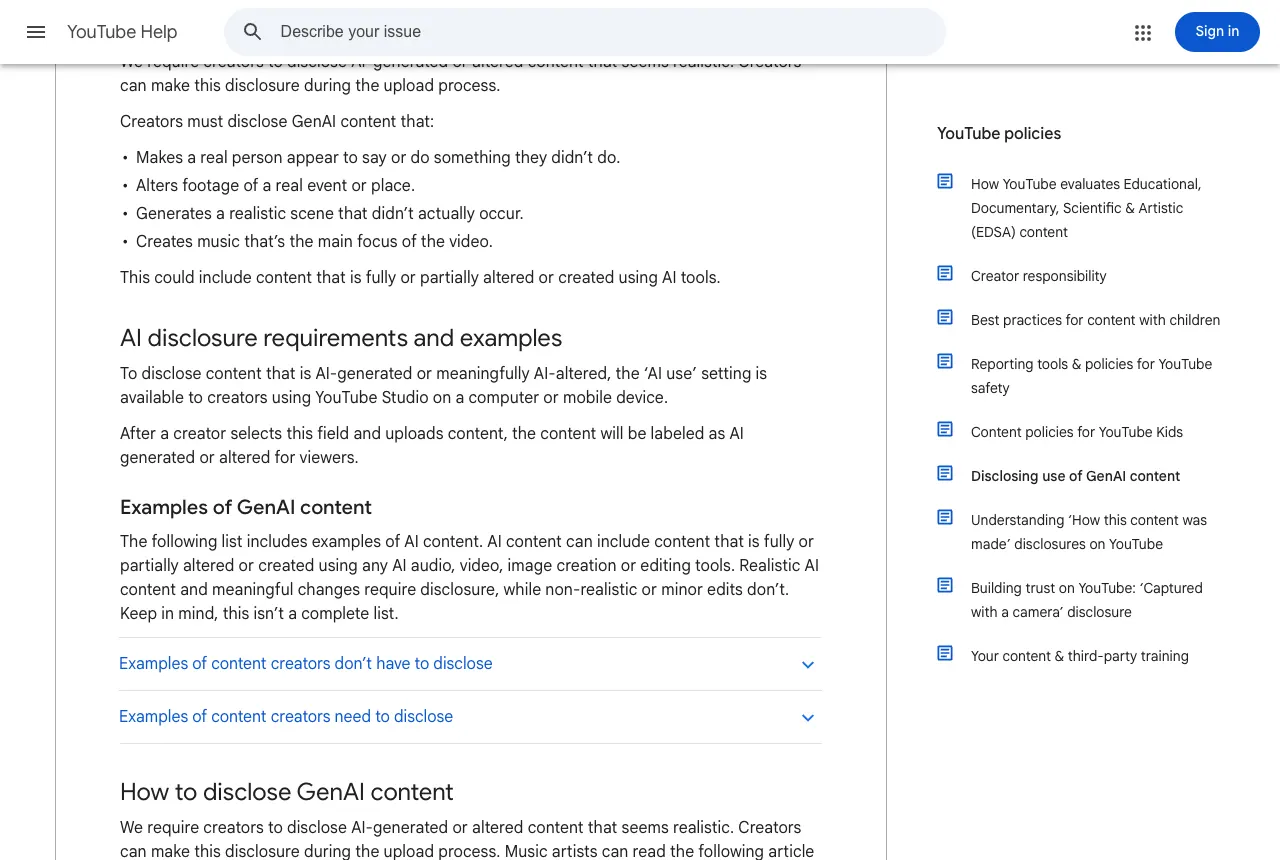
The page says you do not need to disclose content that is not realistic, or minor edits. Its examples include AI help with a script, outline, thumbnail or title, captions, idea generation, and cloning your own voice.
| What you did | Label needed? (per YouTube's page) |
|---|---|
| Used AI to write the script or titles | No |
| Cloned your own voice for a voiceover | No |
| Made clearly animated or unreal scenes | No |
| Made a realistic clip of a real place you did not film | Yes |
| Made a realistic clip of a real person doing something they did not | Yes |
| Made AI music as the main focus of the video | Yes |
To add the label, find "AI use" under Attributes during upload and choose Yes or No. YouTube may also add a label itself, for example when it finds C2PA metadata or when you used YouTube's own AI tools. The page says that consistently not disclosing can lead to a label added by YouTube or penalties, including removal of content or suspension from the Partner Program. It also says disclosing alone does not limit a video's audience or its chance to earn.
What do YouTube's repetitive and reused content rules say?
YouTube pays only for original content that is not mass-produced. The rules name repetitive content, reused content and some AI content.
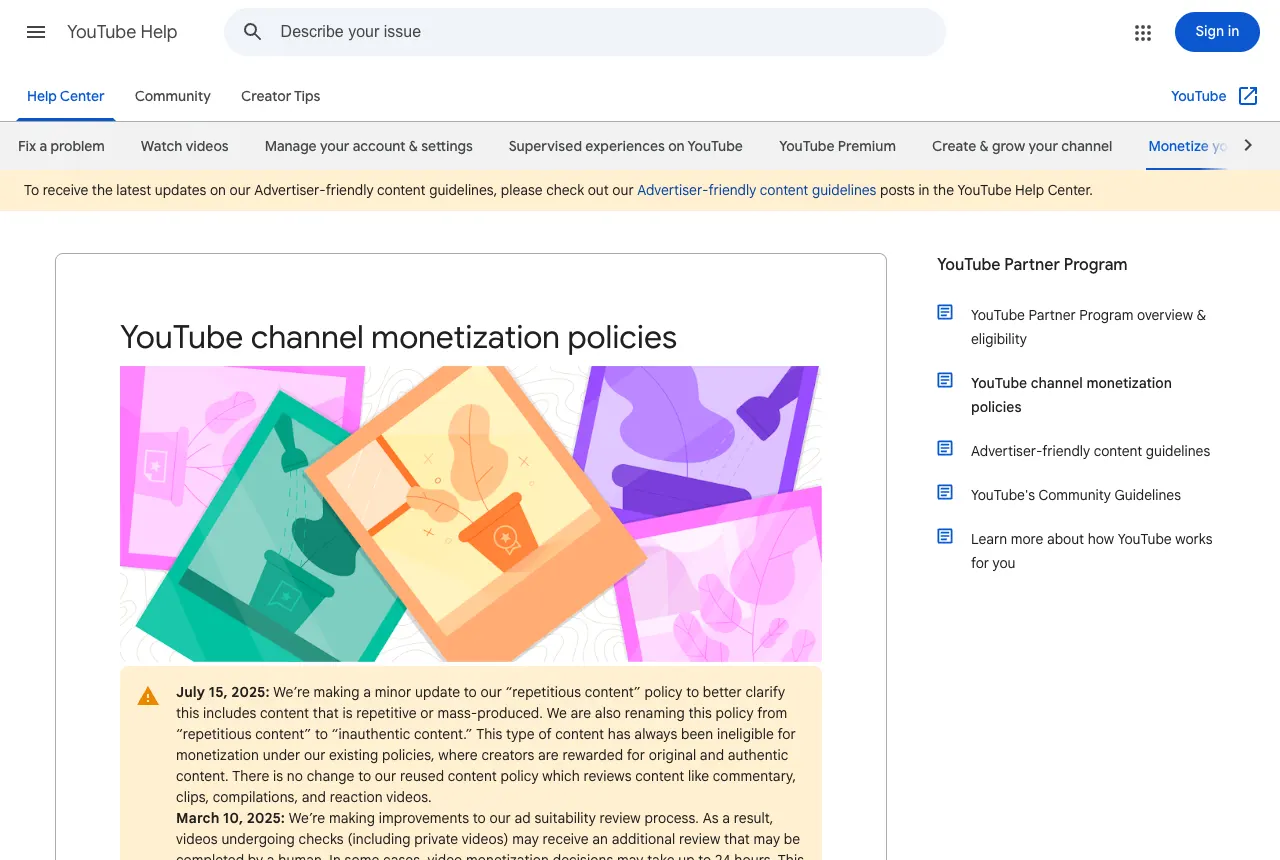
The monetization policy page shows a July 15, 2025 note. It says the old "repetitious content" policy is now called "inauthentic content," and covers content that is repetitive or mass-produced. It says this has always been ineligible for pay.
In plain words:
- Generic or repetitive content. Looks like it came from a template, or feels the same after a few videos. Allowed: the same intro and outro, or a series where each video has its own focus. Not allowed: slideshows or scrolling text with little story or teaching, and generic AI templates with no original view from you.
- Reused content. Taking content from YouTube or another site without adding real commentary or change. The page says it can apply to the whole channel, and if reviewers cannot tell you made the content, pay can be removed from the entire channel. Reading out text you did not write is on the not allowed list.
- Unsatisfying content. Channels that lean on emotional formulas or shock. Even with templates or automated tools, the final video must show your creative vision.
- AI personas on sensitive topics. An AI "expert" giving health, legal, money or politics advice will not be allowed to earn. If your niche is near these, teach facts and sources, and do not play an expert.
So make each video different, add your own view, and do not run one template with new topics. AI is fine as a tool. It is not fine as a way to mass-produce videos. For more on pay, read is YouTube automation profitable.
When can a faceless channel start earning money?
Not at first. You must join the YouTube Partner Program and pass its limits, and those limits change on February 1, 2027.
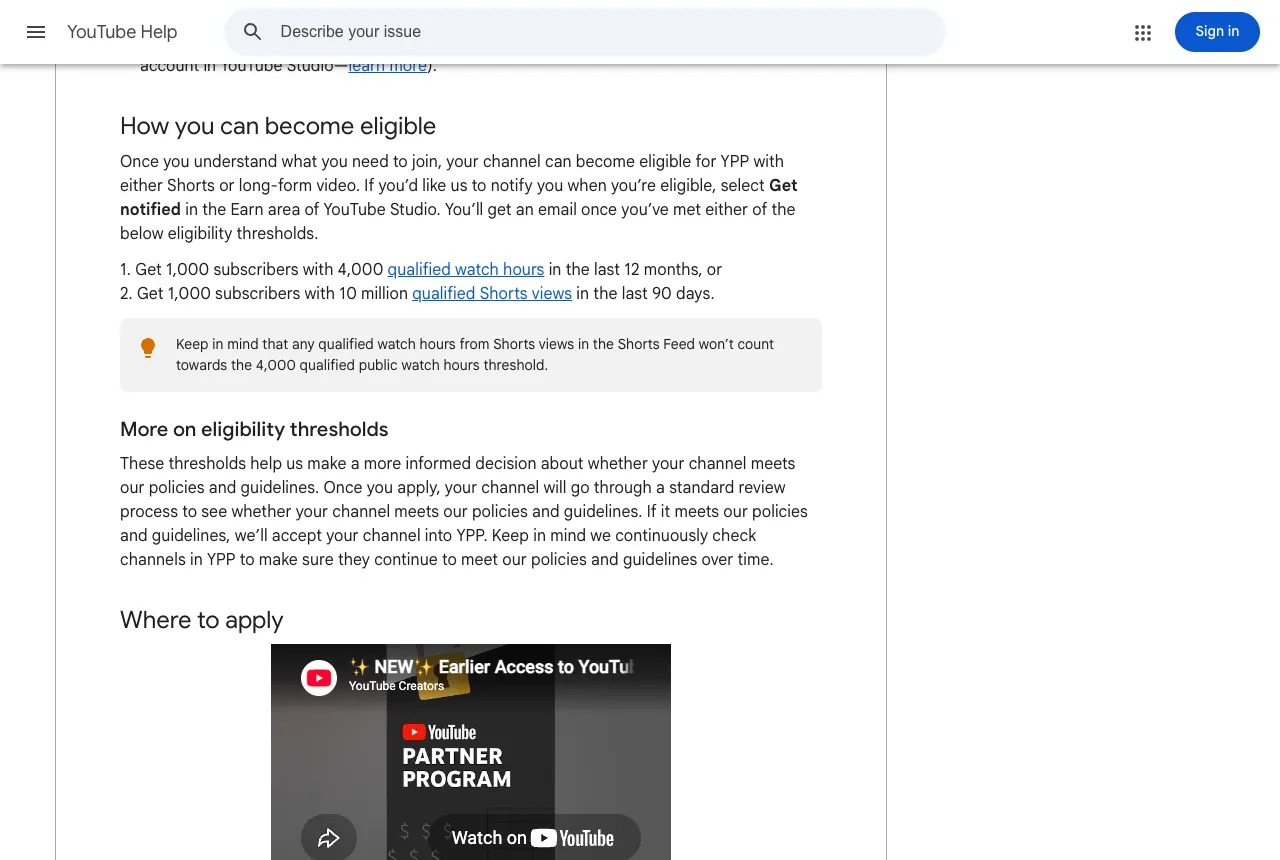
To join, you must also follow the monetization policies, live in a supported country or region, have no active Community Guidelines strikes, turn on 2-Step Verification, have advanced features access, and link an AdSense for YouTube account.
| Path | Today | From Feb 1, 2027 (new creators) |
|---|---|---|
| Long videos | 1,000 subscribers and 4,000 qualified watch hours in 12 months | 1,000 subscribers and 8,000 qualified watch hours in 365 days |
| Shorts | 1,000 subscribers and 10 million qualified Shorts views in 90 days | 1,000 subscribers and 20 million qualified Shorts views in 90 days |
Watch hours from Shorts in the Shorts feed do not count toward the long video limit. Private, unlisted and deleted videos do not count either.
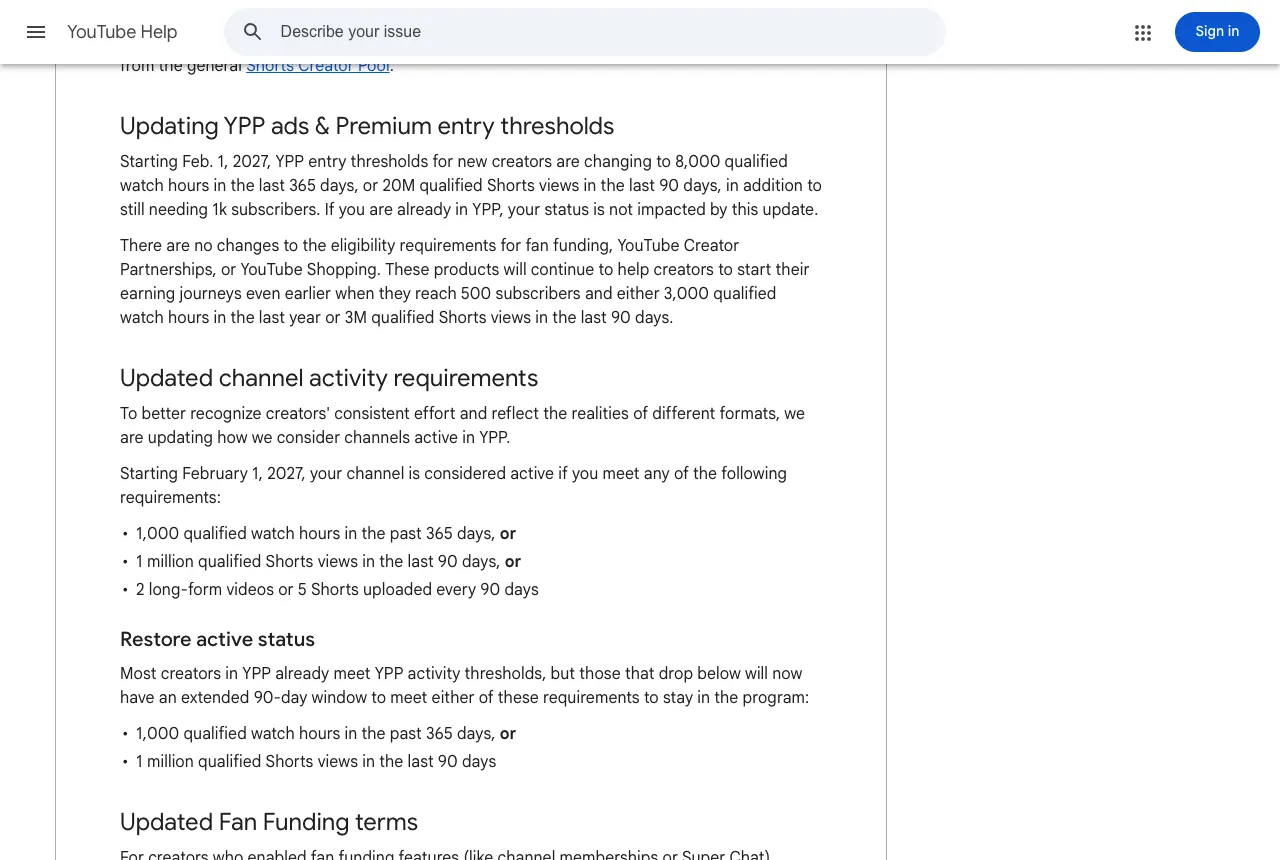
The 2027 page says creators already in the program are not affected. It also says fan funding, YouTube Creator Partnerships and YouTube Shopping keep a lower limit of 500 subscribers and 3,000 qualified watch hours in the last year, or 3 million qualified Shorts views in 90 days.
Here is the size of the long video goal, as plain math. 4,000 hours is 240,000 minutes. If the average view lasts 4 minutes, you need 60,000 views. If it lasts 8 minutes, you need 30,000. These are examples only. Your numbers will differ, and nobody can promise you will reach them.
After you apply, YouTube says automated systems and human reviewers look at the whole channel, and a decision typically takes about 1 month. If you are turned down, you can appeal within 21 days or re-apply after 30 days. Select "Get notified" in the Earn area of YouTube Studio and YouTube emails you when you meet a limit.
What tools do you use at each step?
Use one tool per job.
| Step | Tool | What its page says (checked November 2026) |
|---|---|---|
| Ideas and script | ChatGPT, Claude | Chat tools for ideas, outlines and drafts. Check facts yourself. |
| Voice | ElevenLabs (affiliate link) | Free plan: $0 and 10,000 credits a month. Starter adds a commercial license. |
| Stock clips | Pexels | Free to use, no credit needed, with some limits. |
| AI clips | Higgsfield (affiliate link), CapCut | Higgsfield offers image and video creation. CapCut starts from a script or reference image. |
| Editing | CapCut | Editor with AI video features. |
| Upload and label | YouTube Studio | Where you set AI use, thumbnail and visibility. |
I may earn a commission if you sign up through the links marked affiliate link. It costs you nothing extra.
What should you do first?
Do not copy a viral channel, read out other people's text, or post 30 near-identical videos in a week. YouTube's rules call out all three.
Post one video a week and read your YouTube Studio numbers. Results vary. If you want to see the whole process on screen, watch the free training.
Sources
- YouTube Partner Program overview & eligibility, YouTube Help (checked November 2026)
- Changes to the YouTube Partner Program, YouTube Help (checked November 2026)
- YouTube channel monetization policies, YouTube Help (checked November 2026)
- Disclosing use of GenAI content, YouTube Help (checked November 2026)
- Create a YouTube channel, YouTube Help (checked November 2026)
- Learn about feature access for YouTube Creators, YouTube Help (checked November 2026)
- Add a custom thumbnail, YouTube Help (checked November 2026)
- ElevenLabs pricing (checked November 2026)
- CapCut AI video generator (checked November 2026)
- Pexels license (checked November 2026)
FAQ
How do you start a faceless YouTube channel with AI?
Pick a niche, create the channel, write a script, make a voice with an AI tool, add visuals, edit, and upload. Add your own point of view to every video, and answer the AI use question when you upload.
Can a faceless YouTube channel make money?
It can, if it joins the YouTube Partner Program. Today that takes 1,000 subscribers and either 4,000 qualified watch hours in 12 months or 10 million qualified Shorts views in 90 days. Results vary, and nobody can promise earnings.
Does YouTube allow AI-made videos?
Yes. YouTube says it encourages responsible use of AI tools and asks you to label realistic AI content. It does not pay for mass-produced, repetitive or reused content, even if AI made it.
Do you have to label AI content on YouTube?
Only if it is realistic and AI made or changed it, like a real person seeming to say something they did not, or a realistic scene that never happened. YouTube's page says script help, titles, captions and cloning your own voice do not need a label.
Can you use AI voices on a faceless YouTube channel?
Yes. Check that your plan allows commercial use. YouTube's page says cloning your own voice for voiceovers does not need a label.
How long does it take to get monetized?
It depends on how fast you meet the limits. After you apply, YouTube says a decision typically takes about 1 month. Nobody can give a fixed time to reach the limits.
Get the free training first
It's coming soon. Join the waitlist and you'll hear first.
No spam. Unsubscribe anytime.
Keep reading
Affiliate disclosure: some links in articles may be affiliate links. If you buy through one, Freed by AI may earn a commission. That does not change the price you pay.