Is YouTube automation profitable? A plain answer
Is YouTube automation profitable? It can be, but it is not fast or guaranteed. Costs are low, often under $30 a month for tools. Money only starts when your channel is accepted into the YouTube Partner Program, and YouTube says repetitive or mass-produced videos do not qualify. Results vary a lot, so run the math below with your own numbers.
This post gives you the plain answer. You will see what it costs, how the money comes in, the rules from YouTube's own help pages, and a simple "if this, then that" table.
What is YouTube automation?
YouTube automation means running a channel where tools do much of the work. You might use AI to help with the script, a voice tool for the voiceover, and an editor to put it together. Some people hire freelancers for these steps. Some do it all themselves.
The word "automation" can sound like the channel runs itself. It does not. Someone still picks the topics, checks the facts, and decides if each video is worth watching. If you want to see how these videos get made, read how to make faceless AI videos.
Is YouTube automation profitable?
It can be profitable if three things happen. Your channel gets accepted into the Partner Program, people watch your videos, and your costs stay lower than your ad income.
A new channel earns $0 from ads at the start. YouTube pays ad money only to channels in the Partner Program, and that has requirements you have to meet first. After that, you are paid for views, which means you need a steady flow of viewers.
So the answer is yes for some channels, after some time, if the videos are good. Nobody can promise you a number. YouTube does not publish what an average channel earns, and neither does this post.
What does YouTube automation cost?
You can start with very low costs. Many of the tools have free plans, and the paid ones are small monthly fees. Here are two examples, with the price pages checked in November 2026.
- Writing help. Claude has a Free plan. Claude Pro costs $20 a month if billed monthly, or $17 a month on the annual plan ($200 billed up front), according to Anthropic's pricing page.
- Voiceover. ElevenLabs (affiliate link) lists a Free plan at $0 with 10,000 credits and a Starter plan at $6 a month with 30,000 credits. I may earn a commission if you buy through that link.
You will also need a video editor, which can be free. You may want licensed music, because YouTube warns that music in Shorts can change how revenue is split. And you pay with your own time, which is often the biggest cost.
A simple starting budget is the Claude Pro price plus the ElevenLabs Starter price, which is $26 a month. You can spend less with free plans. You can spend more if you hire help. Use your own numbers.
How does a YouTube automation channel make money?
A YouTube channel can earn from ads, memberships, shopping, and things you sell outside YouTube. The biggest one for most new channels is ad revenue after joining the Partner Program.
YouTube's help page on earning money lists the main ways inside the platform: advertising revenue from watch page ads and Shorts feed ads, shopping, channel memberships, and more. Many of these have their own rules.
You can also earn outside YouTube. You can add affiliate links to a tool you really use. You can send viewers to an email list. You can offer video editing as a service. Our guide on how faceless channels make money covers each of these in detail, so this post stays focused on the YouTube ad side.
Some brands also pay per view for short clips. Read what is Content Rewards to see how that works.
What do you need to join the YouTube Partner Program?
You need 1,000 subscribers plus either 4,000 qualified watch hours in the last 12 months or 10 million qualified Shorts views in the last 90 days. You also need to follow the monetization policies, have no active Community Guidelines strikes, turn on 2-Step Verification, and set up an AdSense for YouTube account.
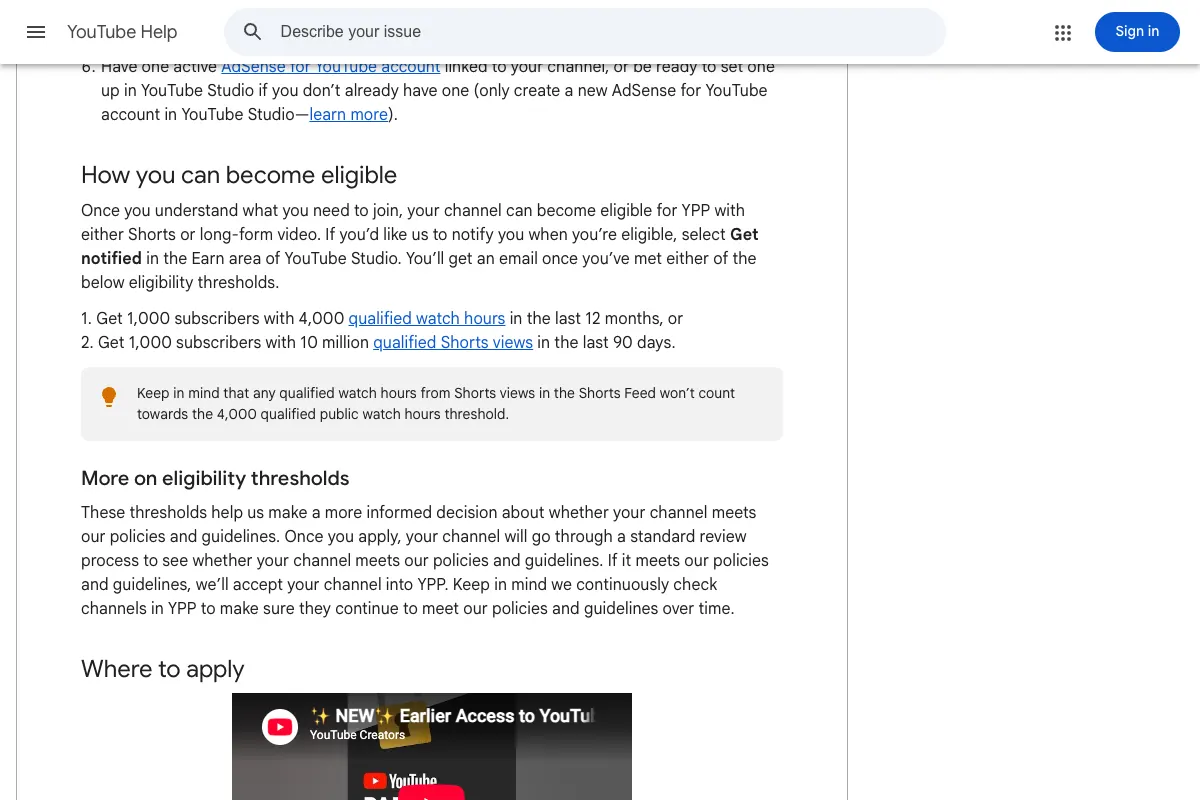
There is a change coming. YouTube says that starting February 1, 2027, the entry thresholds for new creators change to 8,000 qualified watch hours in the last 365 days or 20 million qualified Shorts views in the last 90 days, while you still need 1,000 subscribers. Creators already in the program are not affected by that update.
If you are not in the program by that date, you may face the higher bar. Check the official page before you decide, because these numbers can change again.
How much does YouTube pay for 1,000 views?
YouTube does not publish one rate. What it does publish is the share of ad money you keep. Your pay per 1,000 views depends on who watches, what advertisers pay, and what your video is about.
Here is what YouTube's own pages say:
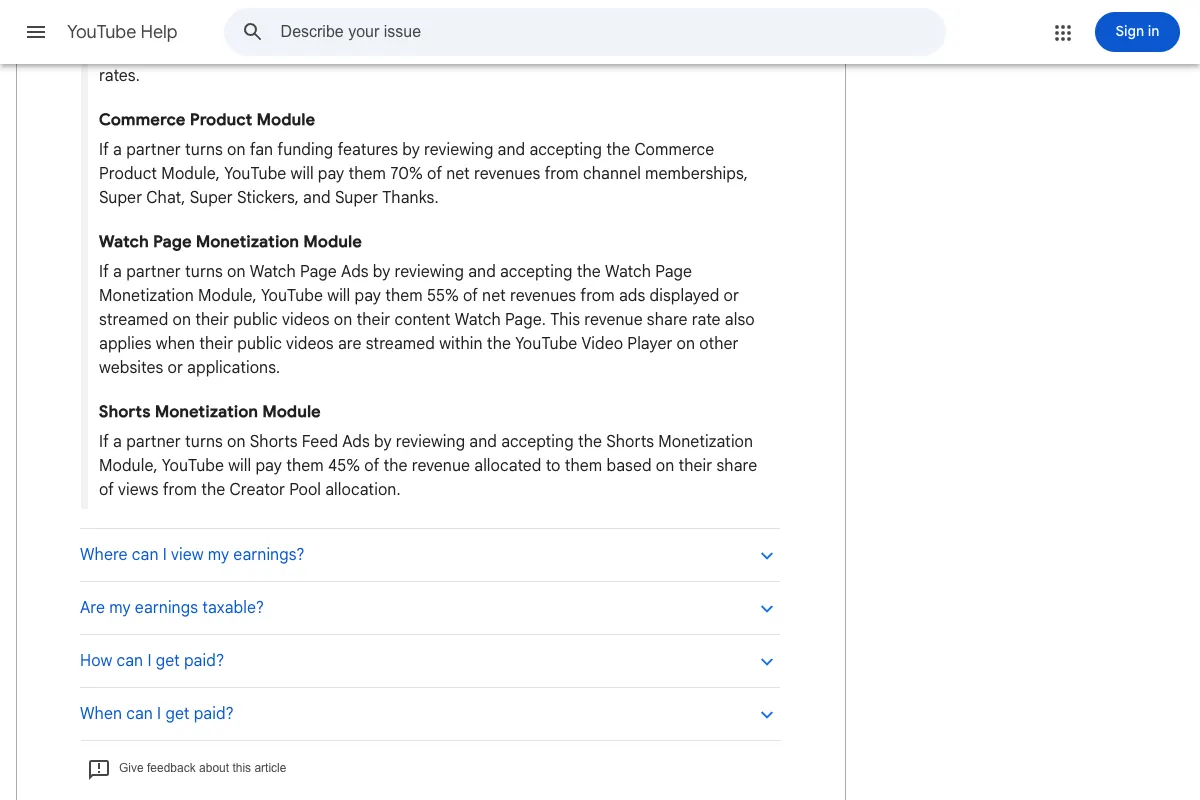
- Long videos. YouTube pays partners 55% of net revenue from ads on their public videos' watch pages, if they accept the Watch Page Monetization Module.
- Shorts. YouTube pays 45% of the revenue allocated to the creator from the Creator Pool.
- Memberships and fan funding. YouTube pays 70% of net revenue from channel memberships, Super Chat, Super Stickers and Super Thanks, if you accept the Commerce Product Module.
YouTube also defines a number called RPM, or revenue per mille. In YouTube's words, RPM is how much money you've earned per 1,000 video views, and it is your total revenue after YouTube's share. RPM is lower than CPM, which is what advertisers pay before YouTube's share. You will see your own RPM in YouTube Studio once you are earning.
YouTube does not give typical RPM numbers by topic. Third-party sites do, and they are estimates. Two examples, checked November 2026:
- Biztoolkit says RPM runs from roughly $1 to $3 for music and comedy, up to $10 or more for finance, insurance and business content. It also says Shorts often pay well under $1 per 1,000 views.
- VloggingPro says typical RPM for most creators is about $1 to $5 per 1,000 views, and that Shorts RPM is commonly $0.04 to $0.15.
Those are their figures, not YouTube's. Treat them as a guess, and replace them with your own RPM when you have it.
What is the math? An "if this, then that" table
Earnings are views divided by 1,000, times your RPM. The table below uses three sample RPMs. The $1 and $10 values come from the low and high ends of the Biztoolkit range above, and $3 is in the middle of the VloggingPro range. Your RPM may be outside these numbers.
| If you get this many views in a month | At $1 RPM | At $3 RPM | At $10 RPM |
|---|---|---|---|
| 10,000 | $10 | $30 | $100 |
| 100,000 | $100 | $300 | $1,000 |
| 1,000,000 | $1,000 | $3,000 | $10,000 |
Now add costs. Say you pay $26 a month for tools (Claude Pro monthly plus ElevenLabs Starter).
- If your RPM is $3, you need about 8,700 views a month to cover $26. That is $26 divided by $3, times 1,000.
- If you post 8 videos a month and each gets 10,000 views, that is 80,000 views. At $3 RPM that is $240 before tools, and about $214 after.
- If the same 8 videos get 1,000 views each, that is 8,000 views. At $3 RPM that is $24, which is less than the tool cost.
Shorts are different. YouTube's own help page gives a made-up example: a Short with 1 million engaged views in "Country A" earns $405 after the 45% share. That works out to about $0.41 per 1,000 views. It is only an example from YouTube.
Also remember, this math does not start until you are in the Partner Program. Before that, your views earn $0 from ads.
What are the risks of YouTube automation?
The biggest risk is that YouTube may refuse to pay a channel that looks mass-produced. The second risk is not telling viewers when your video uses realistic AI.
Inauthentic content. On July 15, 2025, YouTube renamed its "repetitious content" policy to "inauthentic content." YouTube says this type of content has always been ineligible for monetization, and that it includes content that is repetitive or mass-produced. Its monetization policy page says channels where videos feel interchangeable are not allowed to monetize. It also lists "AI-generated content made with generic or unoriginal templates" that adds no original insight as not allowed.
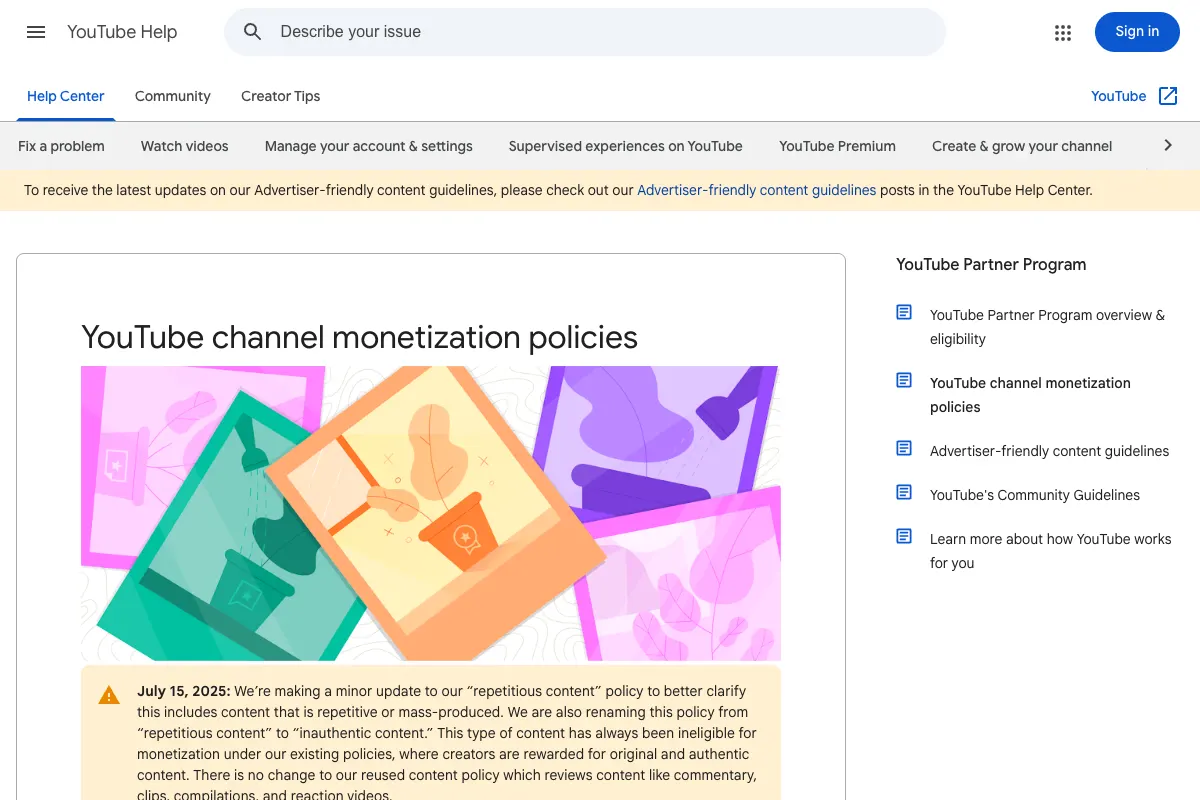
YouTube also says the same intro and outro are fine, and that a series is fine, as long as each video has its own storyline, focus, or idea. Using tools is fine. Each video still has to be worth watching on its own.
AI disclosure. YouTube requires creators to disclose AI-generated or altered content that seems realistic. That includes making a real person appear to say or do something they didn't, changing footage of a real event or place, or generating a realistic scene that didn't happen. You turn on the "AI use" setting when you upload.
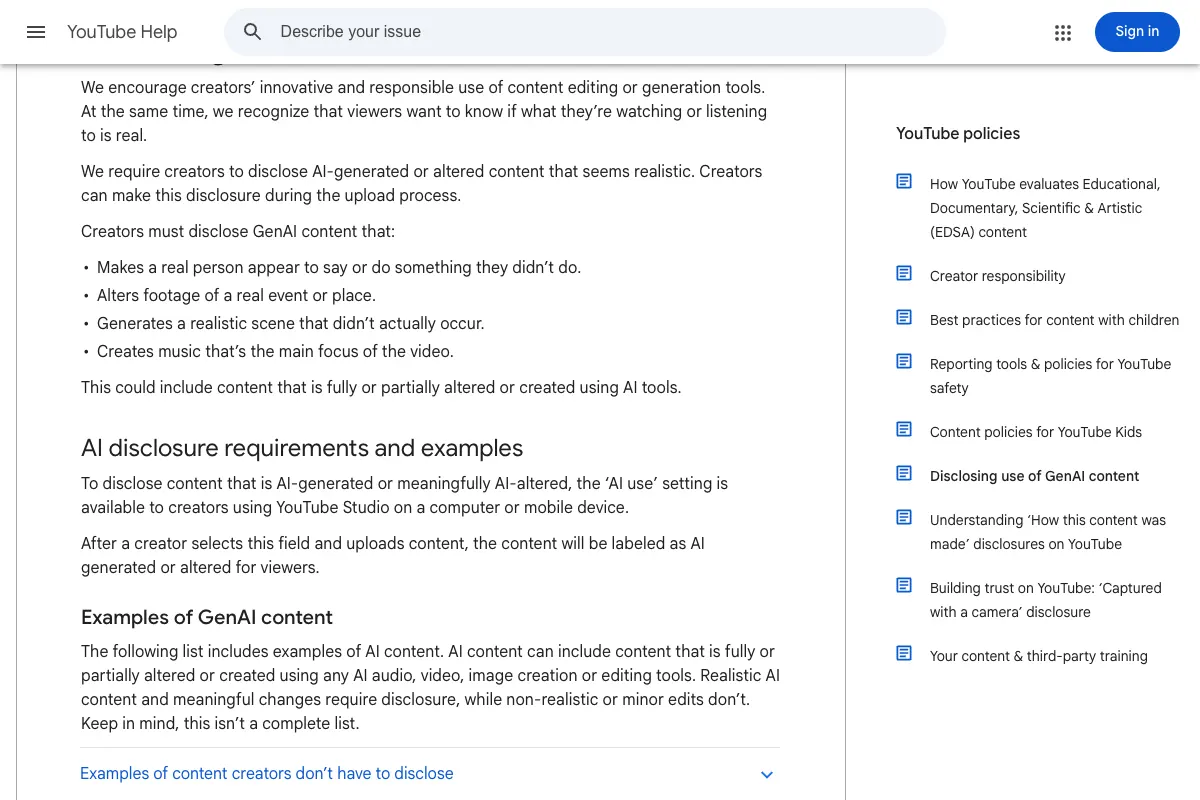
YouTube also lists things you do not need to disclose, such as non-realistic content, minor edits, using AI to help with a script, outline or captions, and cloning your own voice for voiceovers. That list is not complete, so read the page before you publish.
Other risks. Your income can drop if viewers stop watching. Rules and rates can change. And YouTube keeps checking channels in the program to make sure they still follow the policies.
Who is YouTube automation a good fit for?
It fits people who can stay with it for months, enjoy making videos, and are happy to learn from their numbers. It is a weaker fit for anyone who needs money next month.
It may fit you if:
- You can spend a few hours each week, and you can wait before seeing any pay.
- You can pick a topic with many different videos in it.
- You will add your own view, examples, or teaching to each video, not just read out text.
- You are fine starting with low tool costs and a free editor.
It is probably not right for you if:
- You want a channel that runs itself with no effort from you.
- You plan to post the same video format over and over with little change.
- You need a set income by a set date.
If you are not sure, start small. A few videos and a clear look at your own numbers will tell you more than any guess.
How do you get started?
Pick a topic, make a handful of videos you would be happy to watch yourself, and check your numbers in YouTube Studio each month. Join the Partner Program when you meet the rules. If you want to see the whole process step by step, watch the free training. Othman Tmoulik teaches it, and it is built for people with no experience.
Two more posts can help. Can you make AI videos with ChatGPT? explains what that tool can and cannot do, and how to make videos with Claude shows another way to build them.
Sources
- YouTube Partner Program overview and eligibility (checked November 2026)
- Changes to the YouTube Partner Program (checked November 2026)
- YouTube Partner Program: how you get paid and revenue share (checked November 2026)
- YouTube channel monetization policies (checked November 2026)
- YouTube Shorts monetization policies (checked November 2026)
- Disclosing use of GenAI content (checked November 2026)
- Revenue metrics: RPM and CPM (checked November 2026)
- How to earn money on YouTube (checked November 2026)
- Claude pricing (checked November 2026)
- ElevenLabs pricing (checked November 2026)
- Biztoolkit: YouTube RPM per 1,000 views by niche, third-party estimates (checked November 2026)
- VloggingPro: YouTube RPM, third-party estimates (checked November 2026)
FAQ
Is YouTube automation profitable?
It can be, but it is slow and not guaranteed. Tool costs can be under $30 a month, but ad income starts only after you join the YouTube Partner Program. Your results depend on views, topic, and viewer location.
How much money can you make with YouTube automation?
No one can say. YouTube pays 55% of net ad revenue on long videos and 45% on Shorts from the Creator Pool, but your rate per 1,000 views varies. Use the table above with your own RPM.
How many views do you need to get paid on YouTube?
For ads you need to join the Partner Program first, which needs 1,000 subscribers plus 4,000 qualified watch hours in 12 months or 10 million qualified Shorts views in 90 days. After that, you earn per view.
Can YouTube demonetize automation channels?
YouTube says inauthentic content, meaning repetitive or mass-produced videos, is not eligible to earn. Channels made from generic templates with no original value can be refused. Videos that each add real value can qualify.
Do you have to tell YouTube that a video uses AI?
Only when it looks realistic and could mislead, such as making a real person say something they didn't. Using AI for scripts, captions, or your own cloned voice does not need disclosure, according to YouTube.
Is YouTube automation still worth it in 2026?
It depends on your goals and patience. It costs little to try, but it takes time to reach the Partner Program limits, and the entry bar for new creators is set to rise on February 1, 2027.
Get the free training first
It's coming soon. Join the waitlist and you'll hear first.
No spam. Unsubscribe anytime.
Keep reading
Affiliate disclosure: some links in articles may be affiliate links. If you buy through one, Freed by AI may earn a commission. That does not change the price you pay.